The AI co-pilot only you can see.
Bearbits listens alongside you and surfaces the right context, suggested responses, and notes — in real time, while the meeting is still happening.
Trusted by 4,000+ professionals

No meeting bot
No audio or video saved
No third-party AI training
HTTPS/TLS encrypted
Works with all meeting apps
From users
People who never wing a meeting anymore.

I manage a team of 12. Bearbits keeps me sharp with the live transcript, and the NGL Recap feature is genuinely hilarious, which somehow makes boring meetings a lot more fun.
Mara Levin
Head of Sales
Audio-only during live calls
Used only for transcription while the meeting is happening. Not saved as a file after the call ends.
No recordings. Ever.
No video. No screen recording. No stored audio file. Just the transcript text and any notes you keep.
Delete anytime
Remove any transcript when you want, or delete your entire account and meeting content.
Built for multilingual rooms
Live transcription keeps up across 60+ supported languages, even when speakers switch mid-meeting.
While you're in the room
Everything working while you meet.
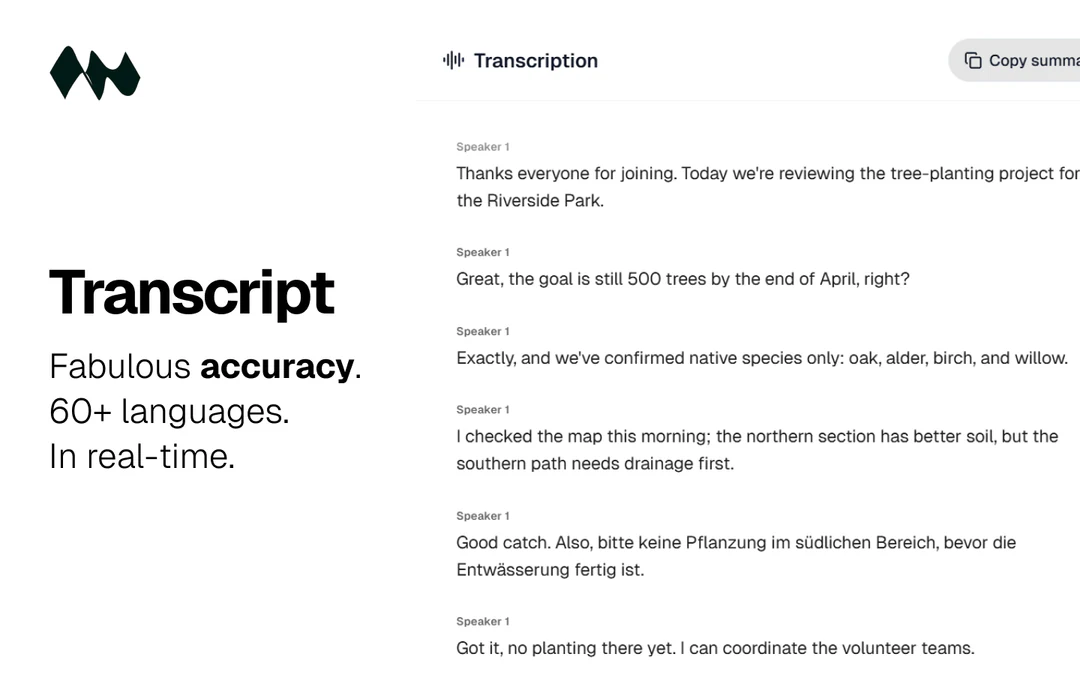
Every word, live. 60+ languages, zero lag
Follow the conversation in real time with speaker-labeled lines and near-zero latency. 60+ languages supported, and the model handles speakers switching languages mid-meeting without missing a beat.
See how it works
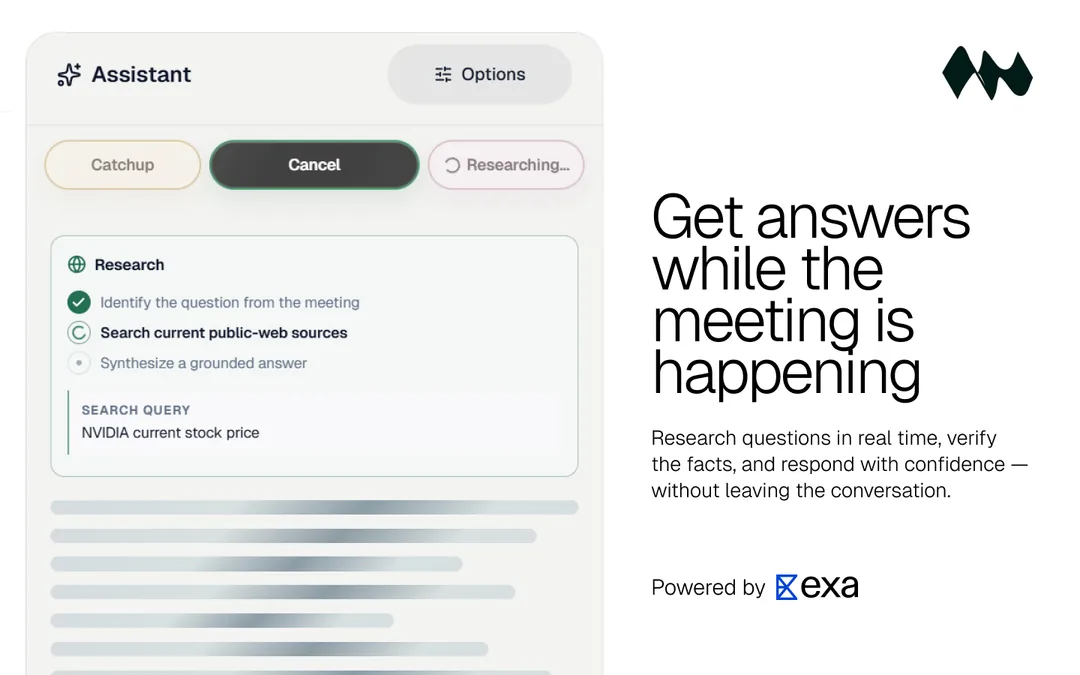
Real-time clarity with live suggestions and instant translation
Live suggestions give you the exact words to say right now, matched to what was just said and where the room is heading. NGL Recap does the other half: when someone spends three minutes saying nothing, it translates instantly into what they actually meant, what they dodged, and whether anything real was decided. Two things no other meeting tool does. Both working while you're still in the room.
See how it works
Share everything with one link. No account needed
Send teammates or clients a read-only link to the full summary and transcript. They open it in any browser. No Bearbits account, no login, no friction.
See how it works
How it works
Start in under 60 seconds
A short setup, then Bearbits stays with you during the meeting instead of only handing you a recap afterward.
Step 1
Open Bearbits in your browser
Step 2
Select or create a project
Step 3
Share tab or system audio only
Step 4
Get live transcript, suggestions, and follow-ups while you meet
No bot. No recording. No one else on your call.
Bearbits runs in your browser and uses audio only while the meeting is live. Nothing is stored after the call ends. Other participants never know it's there.
Help while the meeting is still happening
Live transcript, real-time suggestions, catch-up summaries, and Real-Time Clarity all running while you're in the room. Not a recap you read after. Help you use right now.
Conversations become structured work
After every meeting, Bearbits proposes tasks, people updates, and notes. You review and approve before anything changes. Nothing happens behind your back.
Pricing
Simple pricing for professionals who run meetings.
What’s included
- 3 meetings per month
- Up to 45 minutes per meeting
- Live transcript
- Real-time suggestions
- 60+ languages supported
- Share meetings with a link
- No audio or video stored
Professional
Full access
No limits on meetings or sessions. The full AI suite, all in one plan.
14-day money-back guarantee
What you unlock
- Unlimited meetingsUNLIMITED
- Up to 5 hours per meeting5× longer
- AI summaries & data extraction
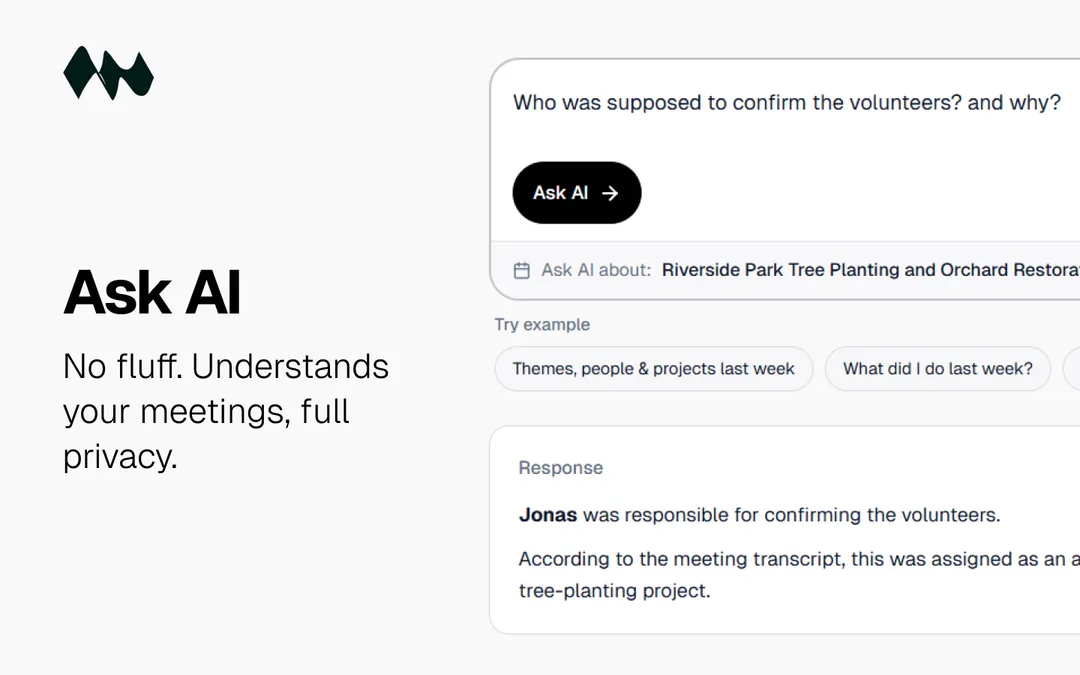
- AI-powered search across all meetings
- No meeting retention expiry
- Priority support via chat & email
Also included from Trial
- Live transcript, suggestions & Real-Time Clarity
- 60+ languages supported
- Share meetings with a link
- No audio or video stored · export anytime
Teams
Coming soonBuilt for teams who run meetings at scale.
Shared workspace, team-wide meeting history, admin controls, and deep integrations. Everything a manager needs to keep the whole team aligned.
- Shared meeting workspace
- Team-wide AI search & summaries
- Manager dashboard & reporting
- SSO & admin controls
- Notion integration
- Slack integration
- HubSpot & Salesforce sync
- Google Calendar integration
Unlimited meetings on Professional are subject to reasonable fair-use limits to protect service quality, prevent abuse, and manage infrastructure costs.
Questions?
FAQ
Straight answers
No fluff. Just answers.
Can Bearbits help me know what to say next in a meeting?
Yes, that's the core feature. You get real-time suggestions mid-call, grounded in your projects, the people you're meeting with, and past conversations. You'll always know what to say next.
Is Bearbits just a meeting note taker?
No. The notes come after the meeting. The help comes while you're still in the room: live suggestions, NGL Recap translation, and catch-up summaries so you never lose the thread. Most meeting tools start where Bearbits is already done.
Does Bearbits use a meeting bot?
No. Bearbits runs entirely in your browser. Nothing joins your call. Other participants don't see a bot or any indication that Bearbits is there.
How does setup work?
Open Bearbits in your browser, share your tab or system audio, and start your meeting. No integrations. No plugins. No bot. You're up and running in under a minute.
Which meeting platforms work?
Bearbits works with Zoom, Google Meet, Microsoft Teams, or any meeting tool. It captures system audio directly in the browser.
What happens to meeting data?
Bearbits does not save a video recording or screen recording of your meeting, and Bearbits does not store meeting audio as an audio file. Audio is used during live transcription, then the saved record is the transcript text and any notes or AI outputs you choose to keep. You can delete any meeting transcript at any time.
How is my account and meeting data protected?
Password accounts use Scrypt hashing so passwords are not stored in plain text. By default, only your authenticated Bearbits account can access your meetings unless you explicitly create a read-only share link. Your content is processed for your workspace and is not used to train general-purpose or third-party AI models. You can review retention details, export your data, delete meeting transcripts, or delete your account from your privacy settings.
Is any video or audio recording saved?
No. Bearbits uses microphone audio and optional shared meeting audio only to generate the live transcript. No video recording is saved, no screen recording is saved, and Bearbits does not store the meeting audio as a recording.
Is my data used to train AI?
No. Your transcripts, audio, and account content are not used to train general-purpose or third-party AI models. Data is processed to run Bearbits for your account, not to build training datasets.
Who can access my meetings?
By default, only your authenticated Bearbits account can access your meetings. If you choose to create a read-only share link, anyone with that link can view the content you shared until you revoke the link.
Can I review updates before anything changes?
Yes. Bearbits proposes people, tasks, and updates after each meeting. You review and approve, and nothing changes without your approval.
Does it work for multilingual meetings?
Yes. Bearbits supports 60+ languages for live transcription. The model handles speakers switching between languages mid-meeting automatically. Select your languages in Settings before starting a meeting.
Which languages are supported?
Bearbits supports 60+ languages for live transcription, applied when you start a new meeting.
Supported languages (60+)
Live transcription handles speakers switching between these languages automatically:
- Afrikaans
- Albanian
- Arabic
- Azerbaijani
- Basque
- Belarusian
- Bengali
- Bosnian
- Bulgarian
- Catalan
- Chinese
- Croatian
- Czech
- Danish
- Dutch
- English
- Estonian
- Finnish
- French
- Galician
- German
- Greek
- Gujarati
- Hebrew
- Hindi
- Hungarian
- Indonesian
- Italian
- Japanese
- Kannada
- Kazakh
- Korean
- Latvian
- Lithuanian
- Macedonian
- Malay
- Malayalam
- Marathi
- Norwegian
- Persian
- Polish
- Portuguese
- Punjabi
- Romanian
- Russian
- Serbian
- Slovak
- Slovenian
- Spanish
- Swahili
- Swedish
- Tagalog
- Tamil
- Telugu
- Thai
- Turkish
- Ukrainian
- Urdu
- Vietnamese
- Welsh
How does billing work?
Bearbits has a Trial plan with 3 meetings per month and up to 45 minutes per meeting. Professional is $19/month. Advertised prices include applicable sales tax and VAT where charged. Manage payment methods and invoices from Settings.
Can I use this on client calls without telling them?
Yes. Bearbits runs entirely in your browser. Nothing joins the call, and other participants see no bot, no indicator, and nothing unusual. Whether you are required to disclose AI assistance depends on your jurisdiction, your company policy, and the context of the call. Bearbits does not record audio or video as a file, so standard recording-consent laws do not directly apply. We recommend reviewing your organization's policies before use in regulated environments.
Is this appropriate for sales or negotiation calls?
Yes. Sales calls, negotiations, client presentations, and account reviews are among the most common use cases. You get a live transcript with speaker labels, real-time suggestions matched to what was just said, and context from past interactions with the same person or account. Nothing is visible to the other side. The goal is to help you stay sharp and respond well, not to automate the conversation.
Bearbits. Know what to say next. Catch the BS. Never miss what matters.
For deeper evaluation
More on what Bearbits actually does
If you are comparing tools seriously, here is the practical version: Bearbits is built to help during the meeting, preserve context after the meeting, and keep the workflow reviewable instead of auto-updating your workspace behind your back.
Comparing Bearbits with other meeting apps?
Read our comparison article for a direct breakdown of browser-first capture, live transcript quality, bot-free workflows, during-meeting assistance, and how Bearbits differs from other meeting transcription tools.